Invoice at Checkout, QR codes & more: what’s new, February 2026
Improvements to payments, events, memberships and day-to-day admin workflows to help your committee get things done faster.
💰 Invoice at checkout for Memberships and Events
Invoice-at-checkout is now available for membership sign-ups and event ticketing! This gives you more flexibility when your members or attendees can’t pay immediately by card.
For Memberships, the membership adopts Partial status, just as if an admin had issued an invoice for it.
For Events, when an attendee checks out with an invoice, tickets are reserved but not issued until the invoice is paid. If that invoice becomes overdue, it is cancelled and the tickets become available again for someone else to register. Admins can continue to issue invoices for tickets, and if those become overdue the tickets will remain valid, which is the same behaviour as previously.
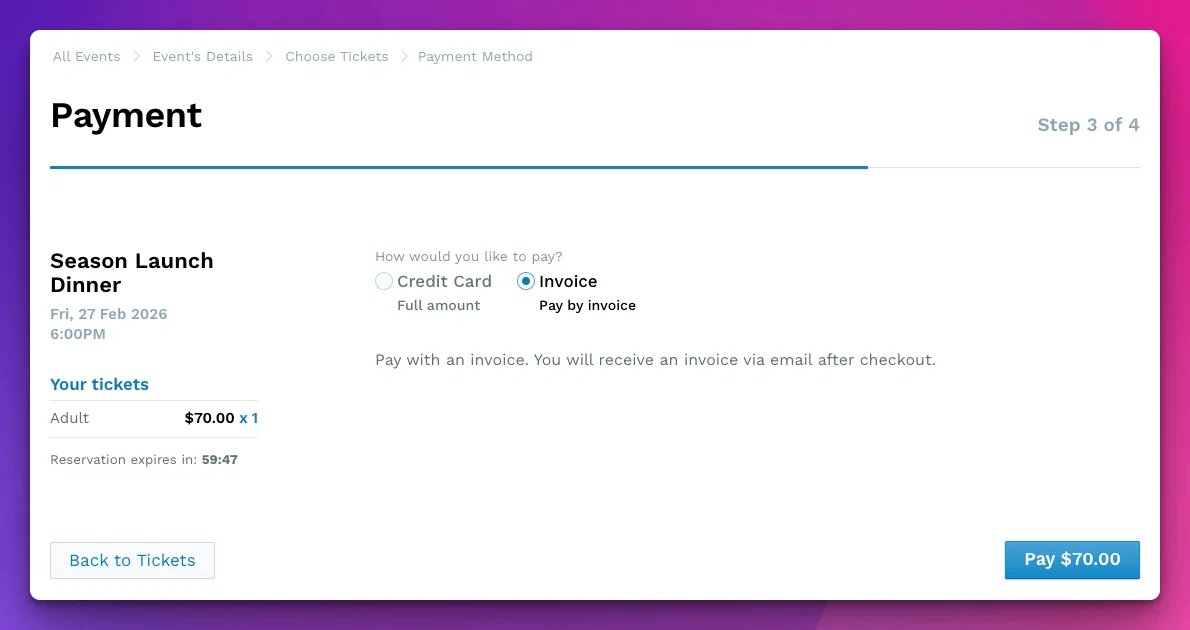
For more information, please check out our Help Centre articles:
- https://support.tidyhq.com/en/articles/13694847-accept-invoice-payments-at-checkout-for-event-tickets
- https://support.tidyhq.com/en/articles/13694765-allow-invoice-payments-at-checkout-for-memberships
This was one of the top five items on our Feedback board, so we hope you’ll make great use of it!
Invoice as a checkout option
If there was a 3rd choice when checking out for a Membership for an “Invoice me”That would allow the person to complete the membership application and then have the system raise and send a manual invoice.Similar to when manually processing a member and sending an invoice, it would allow us to track the payment via another means or handle part payments.
20
📸 QR codes for Events and Meetings
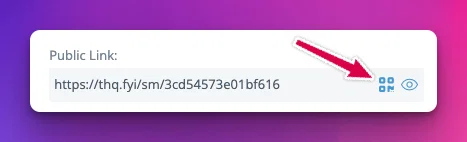
QR codes are now available for both Events and Meetings, from the same places you’d get a Share Link / Public Link. We hope you’ll find this useful for in-person promotion, signage, and quick mobile access.
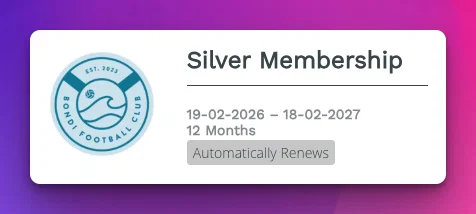
🔁 Clearer membership auto-renew visibility
A badge now appears at registration time so it’s easier for your newest members to see when a membership level renews automatically.
🎛️ Membership Level and Status Advanced Filter
Our Advanced Filters work on an “intersection” approach — each filter qualifies its own set of contacts, and then the final result consists of those who are in every set.
Because Membership Level and Membership Status are different properties, when using the two existing separate filters, someone might e.g. qualify as an Ordinary-level member but with an expired membership, while qualifying as an Active member with a different Level.
Our new filter looks at these properties simultaneously, solving the problem. We’ve also included an option for Active+Partial status.

🐛 Fixes
- Sometimes when an Event cover image was being uploaded, it would just stall out. This usually happened for PNGs exported from Canva. Now fixed!
- Event transaction date sorting now follows the correct chronological order.
- Event attendee CSV exports now include each person’s Contact ID. (Specifically, that of the person who registered for the tickets.)
- The Checkout button for Events is now faded out until at least one ticket is selected.
- Meeting attendees no longer receive bogus cancellation emails when when upgrading a Meeting to v2. (This was happening because when you upgrade, a new v2 meeting is created and the original v1 meeting is deleted…)
- Agenda title encoding issues in converted meetings and related emails are resolved (for example,
&characters now display correctly). - Login branding has been corrected where some organisations could see an incorrect or missing logo path on sign-in.
- Project access cleanup has been fixed so removed admins no longer remain as active project collaborators.
- Need a longer list of contacts? Now when you set the list to 50, 100 or even more per page, we remember that for the length of the current browsing session.
- Last month we introduced an “Email Verified” badge. Now the API also shows the user email address and verification status.
- Attachments on Web Pages can now be up to 50MB each (previously 10MB). This is handy when you have a members-only page with all your newsletters.
- If you have a cover image for your Memberships index page, it’s now possible to remove it.
As always, thanks for the feedback and feature requests. They help inform what we build next!