Refreshed Contacts and Groups, easier communication and custom domains: What’s new in TidyHQ, late August 2026
This fortnight refreshes Contacts and Groups, adds Email Snippets and makes it simpler to manage your club’s online presence.
👥 A refreshed Contacts and Groups experience
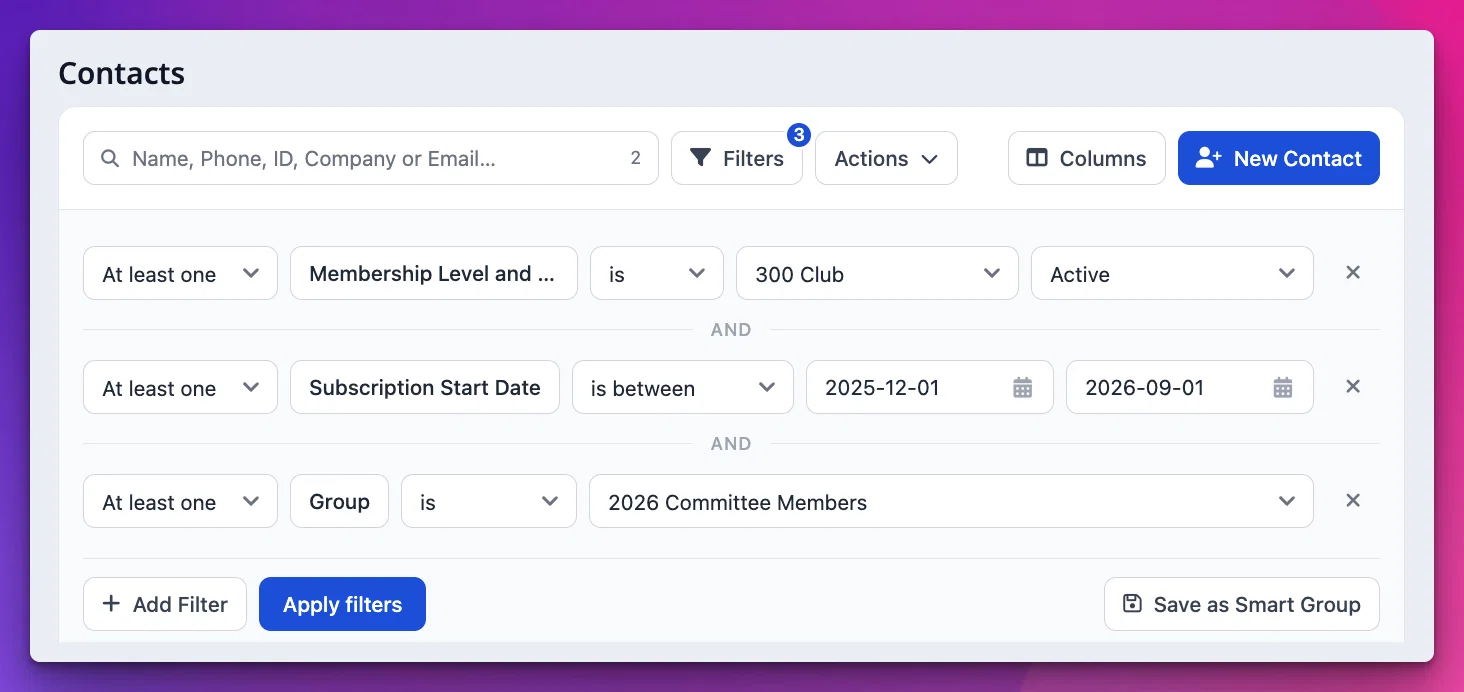
The Contacts table has had a visual refresh, making it easier to scan your data, choose the columns that matter and take action on the right people. Advanced Filters are now simply Filters and the "Displayed Fields" button is now prominently named Columns. Groups have a refreshed view too, both in the list of Groups and each group's contact table. Last but not least, the Possible Duplicates screen has got its refresh too.
✉️ Email Snippets in Communicate
Save commonly used subjects and content, then insert them while composing a new email or reply. This is particularly handy for FAQs and weekly updates. Snippets even support merge tags! More info: https://support.tidyhq.com/en/articles/16522117-email-snippets
🌐 Set up your own domain with guided help
The Bring Your Own Domain App is now available on the Pro plan. If you have an existing domain you'd like to connect to your TidyHQ account, you can now do this self-service in most cases. You'll be guided through the process of importing your existing records, choices you have when keeping existing websites or email, and what records you'll need to set outside of TidyHQ.
For more info, please refer to our updated support article: https://support.tidyhq.com/en/articles/76735-custom-web-mail-domain
🐛 Fixes
Attendee information
- Attendee lists, exports and PDFs now prefer the details entered on the ticket when they differ from the linked contact.
- Historical custom-field answers remain visible for existing attendees after a field is removed from the event’s current settings.
Messages, notes and digital cards
- Images dragged in to emails and other rich-text content now upload to your Storage rather than being embedded, so your emails are smaller and display correctly in more places - notably Gmail web view.
- The Notifications inbox no longer breaks when a noted contact or record has been deleted.
- Apple Wallet cards now show the orgs’s local date for “Last updated”, rather than the server’s date.
- Faster updates on spam complaints and unsubscribes (rather than waiting for the next email to that contact).
Contacts and everyday admin
- Contacts-table search works more reliably in Safari, and recent feedback improvements make filters, keyboard shortcuts and the public-profile form more consistent.
- AI Insights reports now work again after an underlying model was retired.
- Public menu links now perform more efficiently.
As always, your feedback helps us choose what to improve next. Thanks for sharing what is, and is not, making committee life easier.